Future‑Proofing Your Business with Smarter Payment Workflows
Jul 4, 2025
If your finance team still spends Monday mornings chasing invoice PDFs, uploading ABA files, and keying the same data...

If your finance team still spends Monday mornings chasing invoice PDFs, uploading ABA files, and keying the same data into two systems, you are stuck in first‑generation accounts‑payable (AP) processes.
Manual payment workflows drain hours, delay suppliers, and leave plenty of room for slip‑ups. Every time someone re‑keys a figure or hunts down an approval in their inbox, the risk of paying the wrong amount, paying late, or duplicating a bill climbs.
There’s a better way. Smart payment workflows replace those stop‑gap tasks with an automated, connected flow that moves from invoice capture to bank or card payment to full reconciliation with little human input.
Teams that make the switch reclaim time, see cash flow in real time, earn card rewards, and keep vendors smiling.
This guide shows Australian businesses and their finance teams how to leave outdated habits behind and adopt a workflow that scales with growth.
You will learn what “smart” really means, which workflow elements matter most, and how to roll out change without tearing up your tech stack.
We will also share real‑world examples of companies using platforms like Lessn to run payment workflow automation with fewer clicks and zero ABA files.
What Do We Mean by “Smart Payment Workflows”
Think of “smart” the same way you think of a smart phone: it is automated, connected, and adapts to what you need. A smart payment workflow is the end‑to‑end AP cycle—invoice intake, approval, payment, and reconciliation—built on four traits:
Automated – Routine steps (data capture, coding, approvals, payments, posting to the ledger) run without manual touch.
Integrated – Data flows between the payment tool and your accounting platform (Xero, MYOB, QuickBooks) so there is one source of truth.
Adaptable – The workflow supports different funding options (card or bank account), varied approval rules, and multi‑entity setups.
Visible – Anyone with permission can see invoice status and cash‑flow impact in real time.
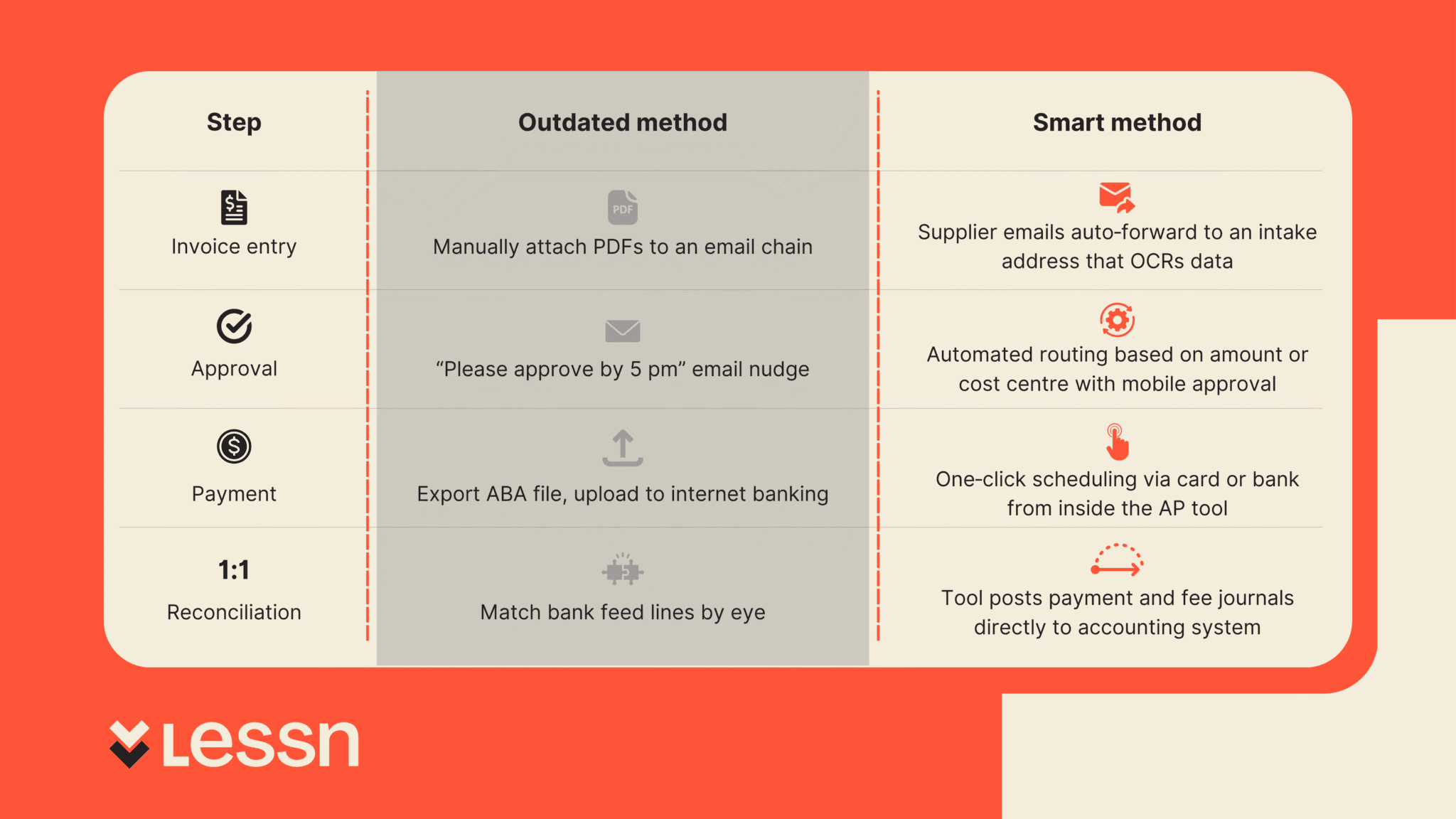
With smart payment workflows the finance team stops acting as data entry clerks and becomes cash‑flow stewards who review exceptions, not every single transaction.
Why It Matters: The Real Cost of Outdated Processes
Manual AP is more than an annoyance, it has a measurable price:
Staff time – A mid‑sized business can lose 10–15 staff hours each week to re‑keying data, emailing approvals, and fixing errors.
Error risk – Every copy‑and‑paste or ABA upload is a chance to pay the wrong supplier or duplicate an invoice.
Supplier friction – Late or partial payments strain vendor relationships and may cost early‑payment discounts.
Cash‑flow fog – Without live status, it is hard to forecast upcoming cash needs or know which bills are genuinely due.
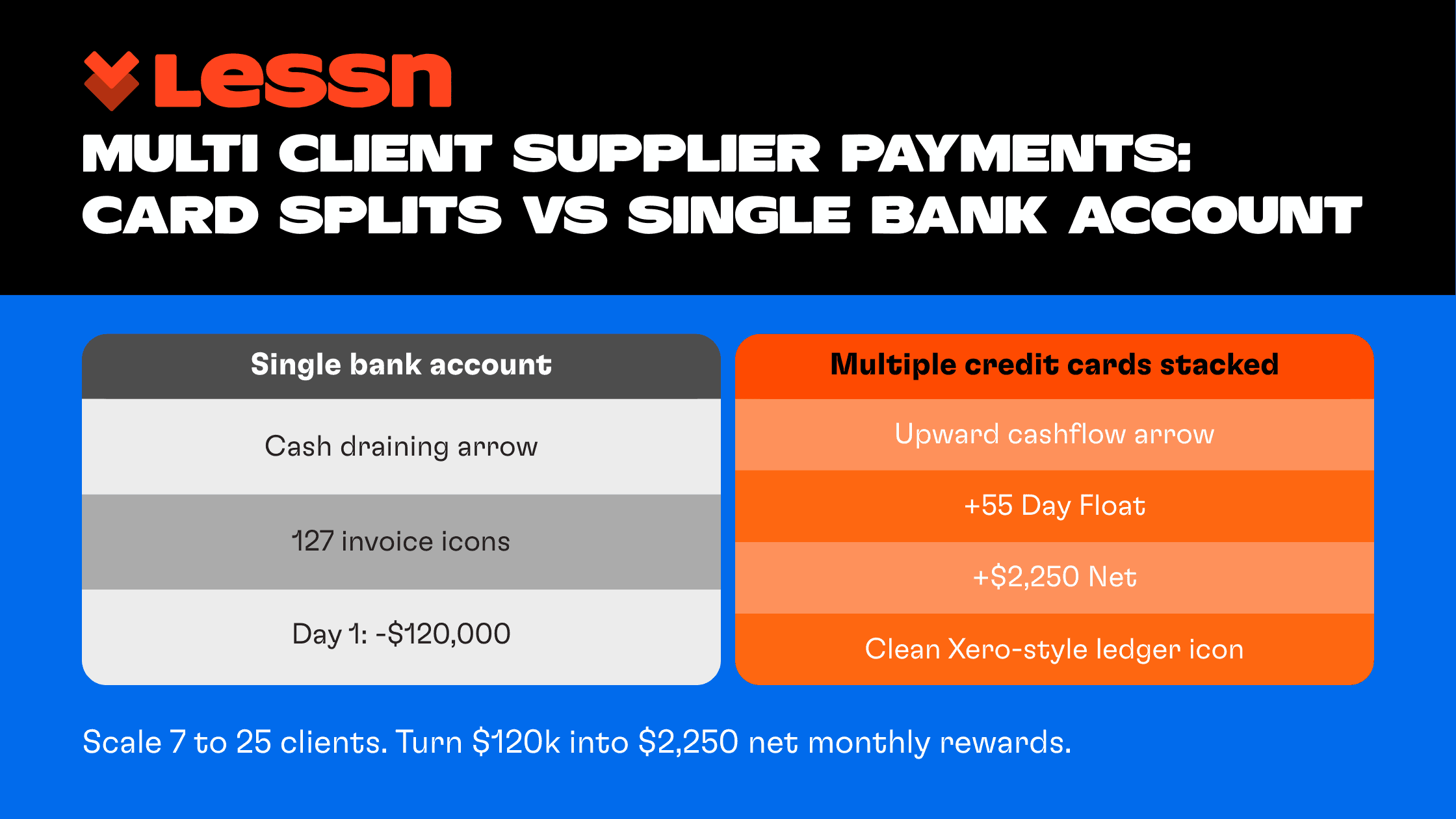
Missed rewards and float – Paying by direct bank transfer gives up to 55 interest‑free days and credit‑card rewards that could fund flights, tech, or offsets.
Consider a bookkeeper managing ten hospitality venues. Each venue sends an ABA file to head office on Friday. One error in a BSB can bounce the whole batch, meaning suppliers wait, the team works the weekend fixing the file, and the owner starts Monday with angry emails. Replace that file with a smart workflow and the risk disappears.
Multiply these pain points by hundreds of invoices each month and the hidden cost often tops six figures a year, money that could be reinvested in growth.
Key Elements of a Smart Payment Workflow
Below are the non‑negotiables of modern AP processes. Use them as a checklist when evaluating payment automation tools.
Centralised Invoice Management
Suppliers send bills to one intake address.
Optical Character Recognition (OCR) captures header data and pushes it into your accounting system as a draft bill.
Finance staff review in a single queue, not scattered inboxes.
Automated Approval Routing
Rules trigger based on amount, department, or project code.
Approvers get mobile or email notifications and can approve with one tap.
Escalation reminders prevent bottlenecks without finance chasing.
Flexible Funding (Card + Bank)
Pay any supplier by card even if they do not accept cards directly—ideal for ATO, rent, or overseas vendors.all-in-1-file-11
Switch to bank transfer (including PayTo) for lower‑fee payments.
Optionally split a single bill across multiple cards for points optimisation.all-in-1-file-11
Integrated Reconciliation
The payment platform posts a “paid” status, remittance, and any merchant fee journal straight into Xero/MYOB.all-in-1-file-11
No bank‑feed matching or suspense accounts.
Month‑end close speeds up because everything already balances.
Live Payment Visibility
Dashboards show upcoming payments, settled payments, and remaining credit‑card float in real time.
Filters let managers drill into cost centres without asking finance for a report.
How to Transition from Manual to Automated
Smart payment workflow adoption should feel like swapping out one gear at a time, not rebuilding the engine. Follow these steps:
Audit your current flow
Map every click from invoice arrival to ledger entry.
Log touches per invoice and duplicate data points.
Spot the friction
Common hotspots: chasing approvals, ABA file prep, manual fee journals, and paper remittances.
Choose a payment workflow automation tool
Must tick the key elements above, be cloud‑based, and integrate with your existing accounting platform.
Short‑list two providers, run a sandbox test with live bills, and measure time saved.
Connect to Xero, MYOB, or QuickBooks
Most tools authenticate through OAuth—no developer time needed.
Sync chart of accounts, suppliers, and open bills within minutes.
Configure approval rules
Start simple: one rule for invoices under $5k and another for those above.
Add department or job‑code rules later.
Pilot with one entity or supplier group
Pick a business unit that has friendly stakeholders and a regular invoice load.
Run for one month, capture baseline stats, and compare.
Upskill the team
Hold a 30‑minute Loom walkthrough showing how to approve, schedule, and view payments.
Turn on in‑app notifications so users learn by doing.
Roll out company‑wide
Use wins from the pilot (hours saved, reward points earned) to secure buy‑in.
Decommission the old ABA process to avoid back‑sliding.
Because leading tools sit on top of your existing ledger, you are evolving the workflow, not ripping out systems. Most companies hit full speed in under six weeks.
How Lessn makes smart payment workflows easy
Lessn isn’t just another pay‑by‑card app. It wraps the five “smart” building blocks you saw earlier into one platform, so the shift from manual AP to automated, cash‑flow‑friendly payments feels almost effortless.
Workflow pain | What Lessn does |
Invoice chaos – PDFs arrive in twenty inboxes and never match the PO. | Client sends invoice to Xero / MYOB → Pay in Lessn. No manual entry, no mistakes. |
Approval bottlenecks – Finance chases signatures every month‑end. | Rules route each bill to the right manager. Approvers tap “yes” on mobile, and reminders fire automatically if they stall. |
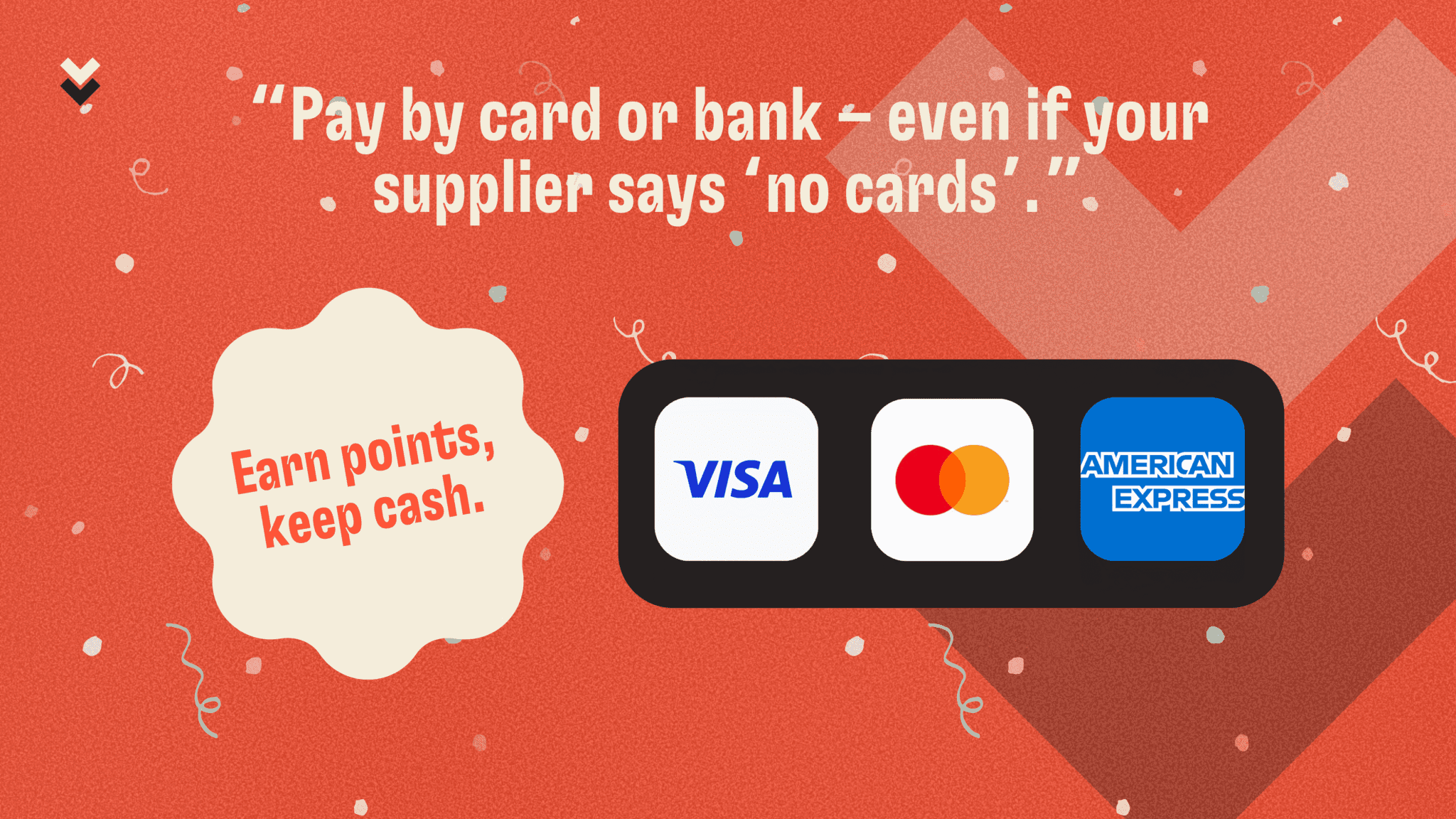
Two funding rails to manage– Cards for points, bank transfer for everything else. | Pay any supplier by Amex, Visa, Mastercard orinstant bank transfer from inside the same screen. No double handling. |
ABA uploads & fee journals – High‑risk, low‑value work. | Lessn schedules the payment, sends remittances, and posts payment + merchant‑fee journals back to your ledger. ABA files disappear. |
Zero visibility – Cash‑flow forecast lives in a spreadsheet. | Live dashboards show what’s due, what’s scheduled, and which cards still have headroom, so you can plan spend without guesswork. |
Why teams stick with it
Card rewards on every bill – Even the ATO, rent, or overseas suppliers trigger points, giving up to 55 days’ float and perks that offset fees.
Split payments – Slice a single bill across multiple cards to max‑out earn caps or share costs between entities.
One‑click compliance – Audit trail stores the invoice, approval, payment reference, and ledger entry in one place.
Minutes to deploy – OAuth connection to Xero or MYOB, no developer time, and your old bills sync automatically.
Lessn lets you move fast, stay compliant, and turn every supplier dollar into either leverage (extra float) or value (reward points), without adding head‑count or extra software. That’s why property groups, cafés, and tech start‑ups alike make it their AP command centre.
Real Scenarios: What Smart Workflows Look Like in Action
Property group with 100+ suppliers
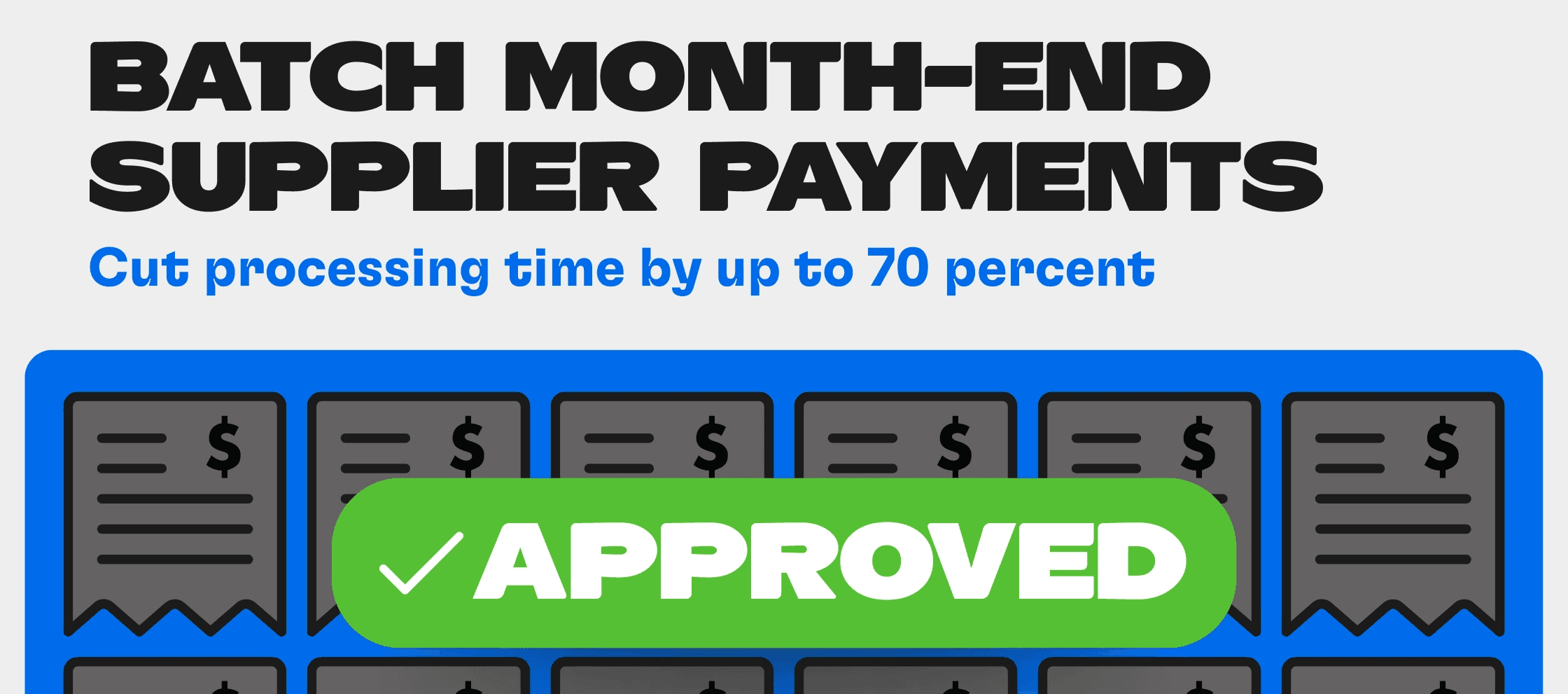
Client A manages subcontractors from plumbers to landscapers. Invoice volumes spike at month‑end and used to overwhelm two accounts staff. By shifting to Lessn they email all invoices to a single intake, route approvals to site managers on mobile, and pay each supplier by credit card for up to 55 days float. End‑to‑end touch time fell by 70 percent.all-in-1-file-11
Bookkeeper unlocking AMEX points for clients
Client B, a two‑person bookkeeping firm, handles AP for ten cafés. Each cafe’s suppliers—coffee roasters, bakers, cleaners—rarely accept cards. Using Lessn, Client B pays every bill on the owner’s AMEX, folds the merchant fee into COGS automatically, and reconciles straight back to Xero. One client earned enough points for a family business‑class trip to Europe last year.all-in-1-file-11
Finance team avoiding tax‑time overload
Tech startup Client C used to scramble in June, pushing payments through in bulk to close the books. Now they load invoices the day they arrive, schedule payments against weekly cash forecasts, and rely on auto‑reconciliation. When audit season hits, every payment is already matched with supporting docs linked in Xero, saving their accountant days of work.
The Future of Payment Workflows
The payment landscape is racing forward. Here is what smart teams will lean on next:
Embedded finance – Payment options surface inside procurement or ERP apps, so staff never leave the workflow.
AI‑driven reconciliation – Machine‑learning models auto‑match exceptions and predict coding, nudging humans only for outliers.
Card funding as default – As interchange rules evolve and merchant acceptance widens, businesses will expect to fund most supplier payments through cards for rewards and float.
Strategic finance roles – With admin eliminated, AP staff pivot to supplier negotiations, cash‑flow optimisation, and analytics.
Ask yourself: in three years, do you want your team keying ABA files or steering strategy? The groundwork you lay today will decide the answer.
Start your smart payment journey
Stop wrestling with ABA files and email threads. Audit your workflow this week and see where smart payment workflows could give back hours and unlock cash‑flow flexibility.
Platforms like Lessn let you centralise invoices, route approvals, pay any supplier by card or bank, and post straight to Xero or MYOB—all in one place.
Ready to work smarter? Book a Lessn demo or create your free account today.
Frequently Asked Questions About Smart Payment Workflows and Accounts Payable Automation
What exactly is a smart payment workflow?
A smart payment workflow is a fully connected, automated AP process—from invoice intake to payment and reconciliation. It’s designed to eliminate manual tasks like re-keying data or chasing approvals, so your finance team spends more time steering strategy and less time managing spreadsheets.
How does invoice automation improve accounts payable efficiency?
With invoice automation, suppliers send invoices to one address, OCR captures the data, and drafts are created in your accounting system. Finance teams then approve everything in a central queue—no more lost PDFs or email chains.
Will switching to automated AP workflows help with cash flow?
Absolutely. Smart workflows give real-time visibility into what’s due, what’s been paid, and how much float is left on your credit cards. You can forecast more accurately and avoid end-of-month cash crunches.
Can I pay all suppliers by card, even if they don't accept card?
Yes. Platforms like Lessn allow you to pay any supplier by card—even ATO, rent, or overseas vendors—while the merchant receives a standard bank transfer. You still earn card points and unlock up to 55 days of float.
How does AP automation reduce risks and errors?
Manual ABA uploads and email approvals often lead to duplicate payments, missed bills, or bounced transfers. Smart AP tools route approvals automatically, post to the ledger instantly, and remove the need for error-prone file handling.
Continue Reading

START REWARDING YOUR HARD WORK TODAY
Join Australian businesses turning payments into rewards.